
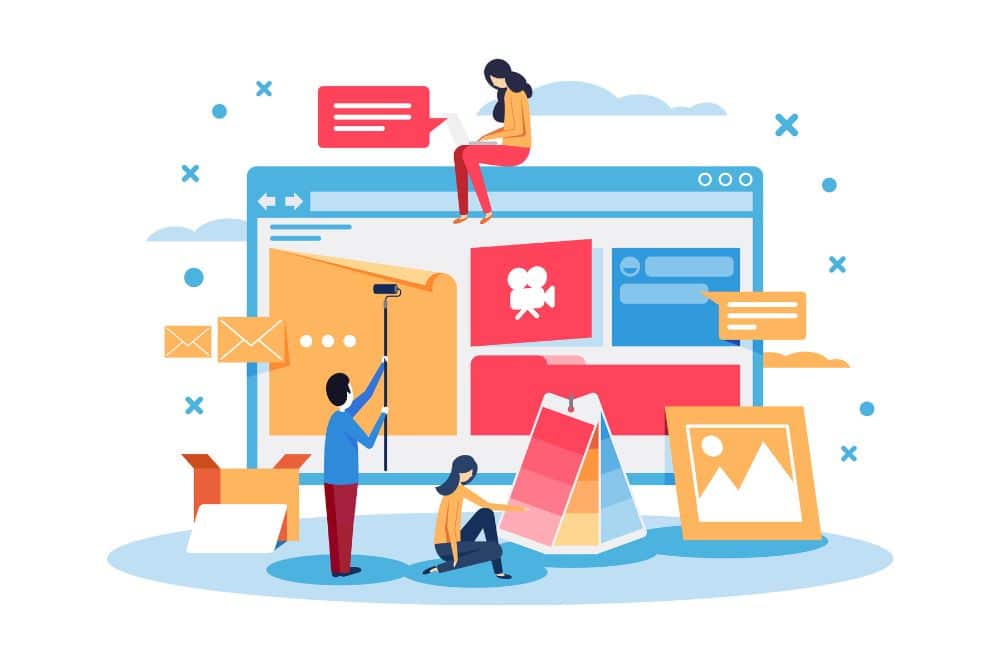
Creating a website is the best option for anyone starting a new venture. A website today is what a business card used to be. Given how much technology has advanced and how connected the world is, having a website is practically a must for any project. But don’t worry! We’ll show you how to create a website step by step.
All you need is a bit of patience—and in the end, you’ll feel proud to have built your own site for free. Just follow these steps!
How to create your website step by step: What to keep in mind
When building a website, there are several things to consider, such as your domain name, hosting, design, legal aspects, and more.
Choose your domain name
Your domain name should reflect your products or services so that your clients can easily find your business through a search engine. To register your domain name, you’ll need to find an accredited registrar and pay a registration fee.
Accredited registrars are organizations authorized to help people register, renew, or manage domain names.
Tips for choosing the perfect domain name:
- Do keyword research and try to include a word that best describes your business.
- Make it easy to read and remember. The shorter, the better.
- Make sure it’s not already in use. Tools like InstantDomainSearch or Name.com can help you check availability.
Find a web hosting provider
You’ll need to find a hosting company to host your site. Most major internet service providers offer hosting services and can also provide multiple email addresses.
Monthly hosting fees vary depending on the amount of disk space and bandwidth you need. Based on your budget, you can choose between:
Shared hosting: The most affordable and common option. You’ll share a server with other websites.
Dedicated hosting: More expensive, but you get your own private server, which improves performance. Some website builders like Squarespace and Wix include hosting in their monthly plans.
If you’re considering free hosting, remember that hosting isn’t free for the provider—so they may use ads on your site to cover the costs. Do your research carefully, as your hosting will affect your site’s reliability.
Design: Draft your website
First, think about what sections you want to include. Most websites have sections like Blog, About Us, Contact, etc., but you should define them based on your project’s needs.
Want to preview your design? Try Figma, a popular tool among designers for its ease of use and wide range of features. It has multiple templates (including free ones) and a YouTube channel full of tutorials.
Figma allows you to create interactive mockups of your site before you actually build it. While it won’t create your website, it helps visualize the user interface.
Don’t forget the legal aspects
Legal compliance is a crucial part of building a website. The internet is for everyone, but there are still rules to follow. Include cookie policies and privacy notices—especially if you plan to collect user data for analytics or lead generation.
You’ll also need to comply with the GDPR (General Data Protection Regulation). If you have an online store, include Terms and Conditions that outline how services are provided and how transactions are processed.
Also, include your business details in the footer—such as VAT number, contact info, and company name. We strongly recommend consulting a legal expert to help you cover this part.
Tools to build your website
The tools you need depend on your experience with coding. A developer may want full control and use specific programming languages, while someone with less knowledge can rely on web editors. These are simpler but may be less flexible.
Web editors
The easiest and fastest option is to use a page builder. In just a few hours, you can create a professional-looking website using pre-designed templates.
Two well-known editors are Wix and WordPress. They’re professional-grade tools that take a bit of time to learn but allow you to build high-quality sites.
Web hosting server
As mentioned earlier, this is the physical server where your site lives. Whether shared or dedicated, it will affect your site’s speed and availability.
6 common mistakes when creating a website
Many beginners assume that simply knowing their project well or writing good content will rank them high on Google—but that’s far from reality.
1. Not researching your audience
Don’t assume that what you like will automatically appeal to others. You may be targeting the wrong audience or platform.
2. Ignoring copyright laws
Just because something is online doesn’t mean it’s free to use. Don’t use images, videos, music, or text without proper permissions. Ideally, use original content.
3. A domain name that doesn’t reflect your project
Unless you're branding your personal name or a specific brand, your domain should reflect what your site is about. For example, don’t name a sports website "girasoles.com" and expect a lot of traffic.
4. No clear purpose for your site
Know why you’re building a website—whether it’s to earn income through ads, sell a product, share information, or something else.
5. Not using any SEO knowledge
We’ll cover SEO more later, but if you’re building a website, understanding SEO is essential.
6. Neglecting your logo
Just like your domain name, your logo is important. If you don’t have design skills, use logo generators or hire a designer.
Have an SEO strategy from the beginning
You should know your target keywords from day one, as these will shape your content and structure. This will help boost your site’s visibility on search engines and generate early traffic.
To do that:
- Choose the right keywords: Find relevant terms with good search volume.
- Start a blog: It helps you rank for more keywords and expand your content.
- Add internal and external links: Link to other pages within your site and relevant external sources.
- Optimize images: Compress them to avoid slow loading and use alt text to describe them for SEO.
- Maximize site speed: Use tools like Google PageSpeed Insights to test and improve your loading times.
And if you need professionals to help you every step of the way—whether building, advertising, or ranking your site—Econsultoria is a multidisciplinary team and online marketing agency that handles everything in a personalized way. Schedule a meeting and we’ll prepare a tailored quote just for you.